Less manual report assembly
Prepare a report without moving data between several tools.
Drone inspection reporting software
Mark defects, organize findings, and generate clear PDF reports — without assembling documents manually across multiple tools.
Free account • no card required • instant demo access
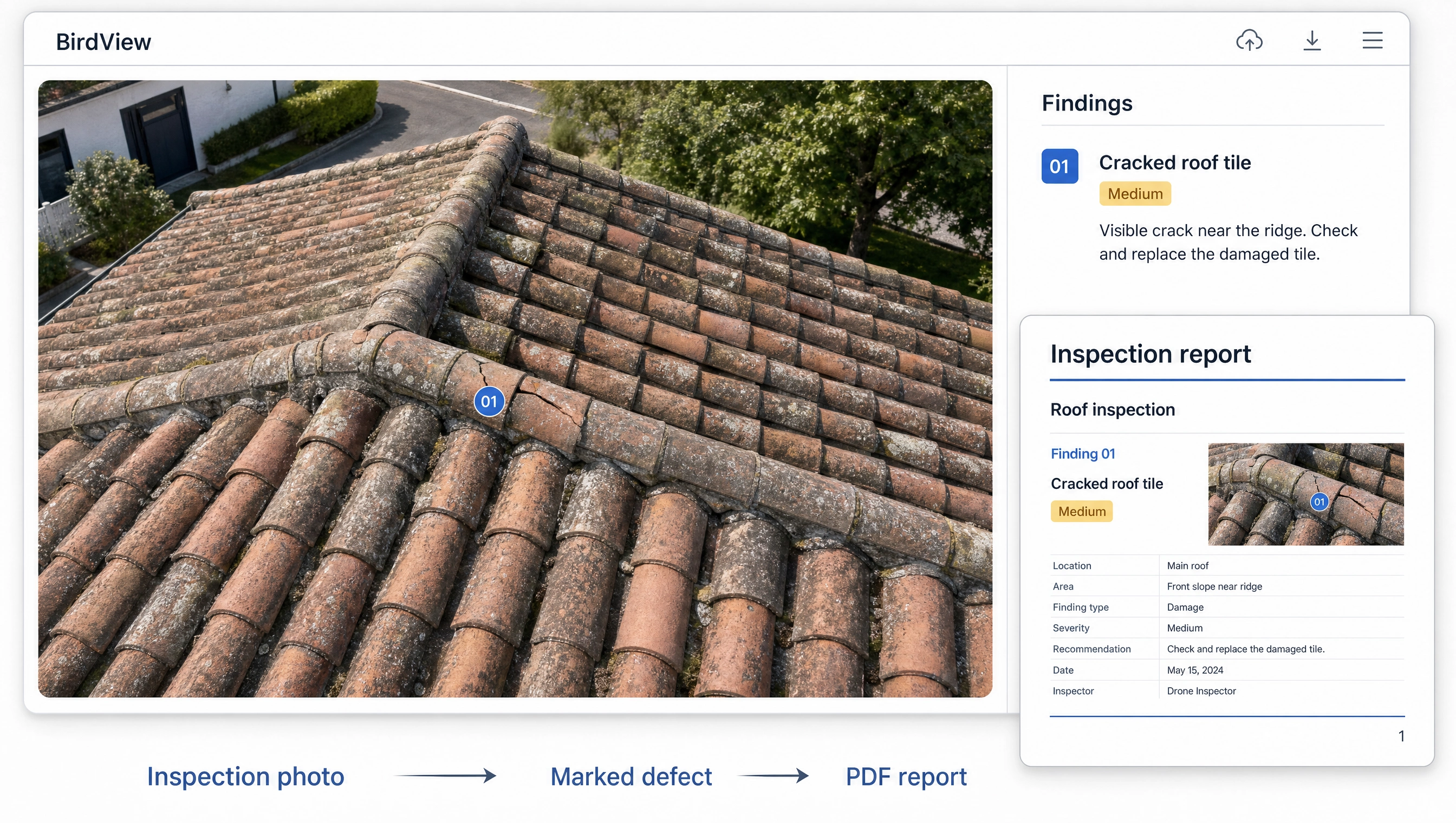
Upload your inspection photos.
Mark and describe defects in the photos.
Bring together findings for the property.
Prepare a report to share with your client.
An annotated photo, defect description and recommendation in one document. Your client can immediately see what needs attention.
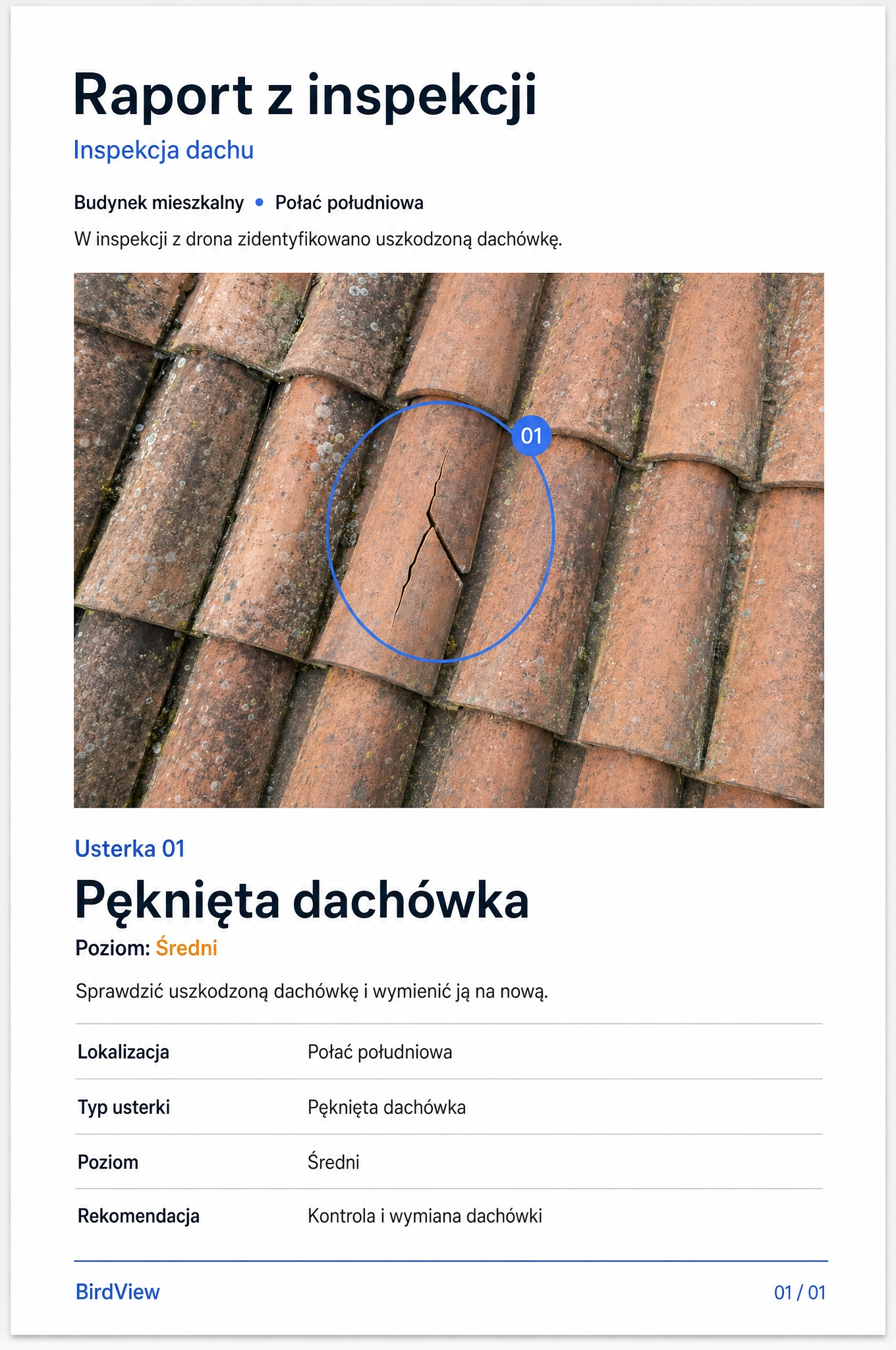
Prepare a report without moving data between several tools.
Keep each defect description tied to a specific place in the photo.
Share photos, findings and recommendations in one document.
Explore a sample project without creating an account.
Document defects in roofs, façades and other parts of a property.
Organize documentation from solar installation inspections.
Create reports with photos and findings from turbine inspections.
Reports can also support site owners and operators, as well as appraisers.
Explore the report structure: project details, annotated photos, a defect register and recommendations.
Send us your materials and order a finished report instead of creating it yourself in the app.
Have questions? Reach out — we usually reply within 24 hours.
Yes, creating an account is free.
No, you can open the demo without signing up.
Place a marker directly on the photo, then describe the defect and recommendation.
BirdView combines photos, annotations, descriptions and recommendations into a structured PDF.
A free account lets you start working with projects and prepare reports in the app.
Ordering a report means sending your materials for report preparation, while the app gives you control over the full process.
Free account • no card required • instant demo access